

Self-custodial perpetual futures
Trade everything.
One app.
Crypto, stocks, indices, commodities, and FX - all from one USDC balance. Your keys, your trades.
- Crypto
- Stocks
- Indices
- Commodities
- FX
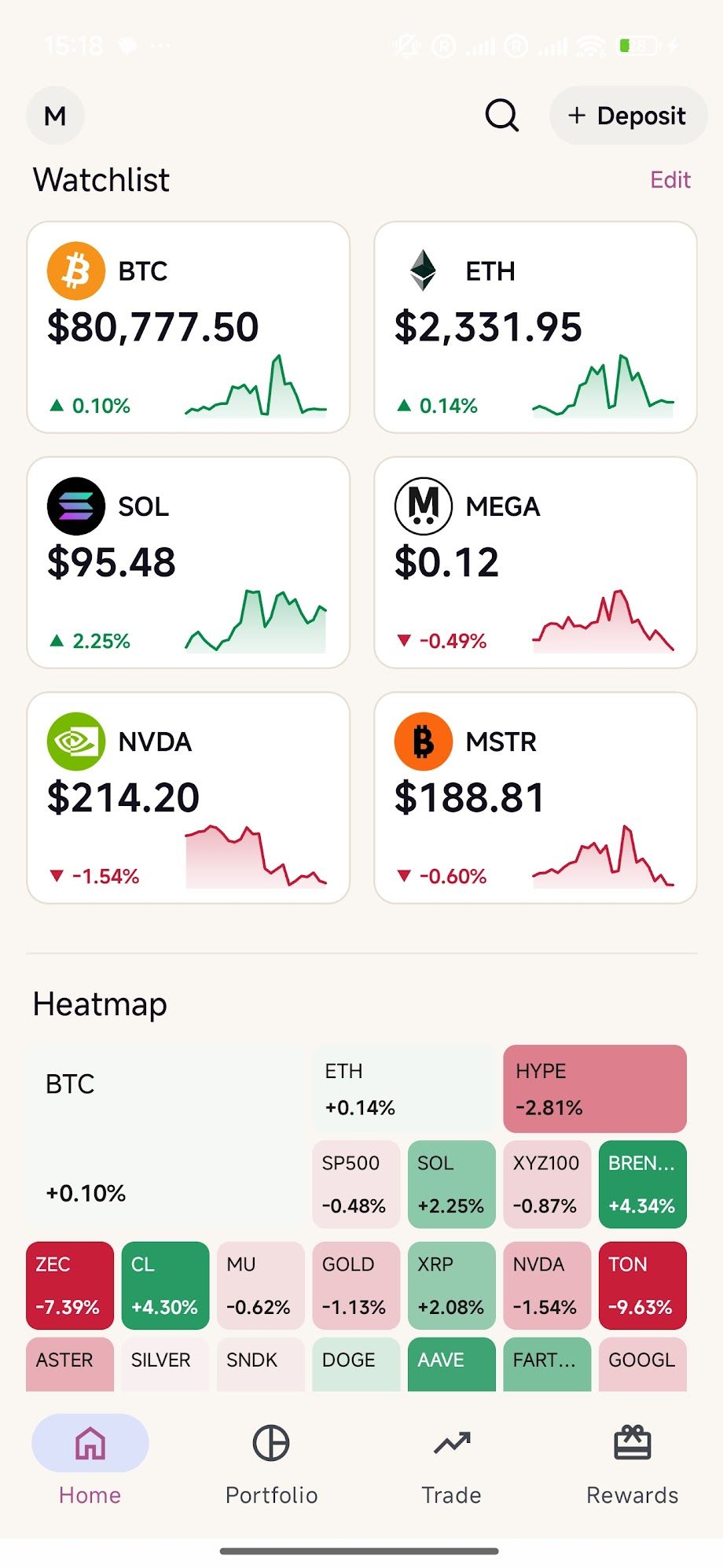
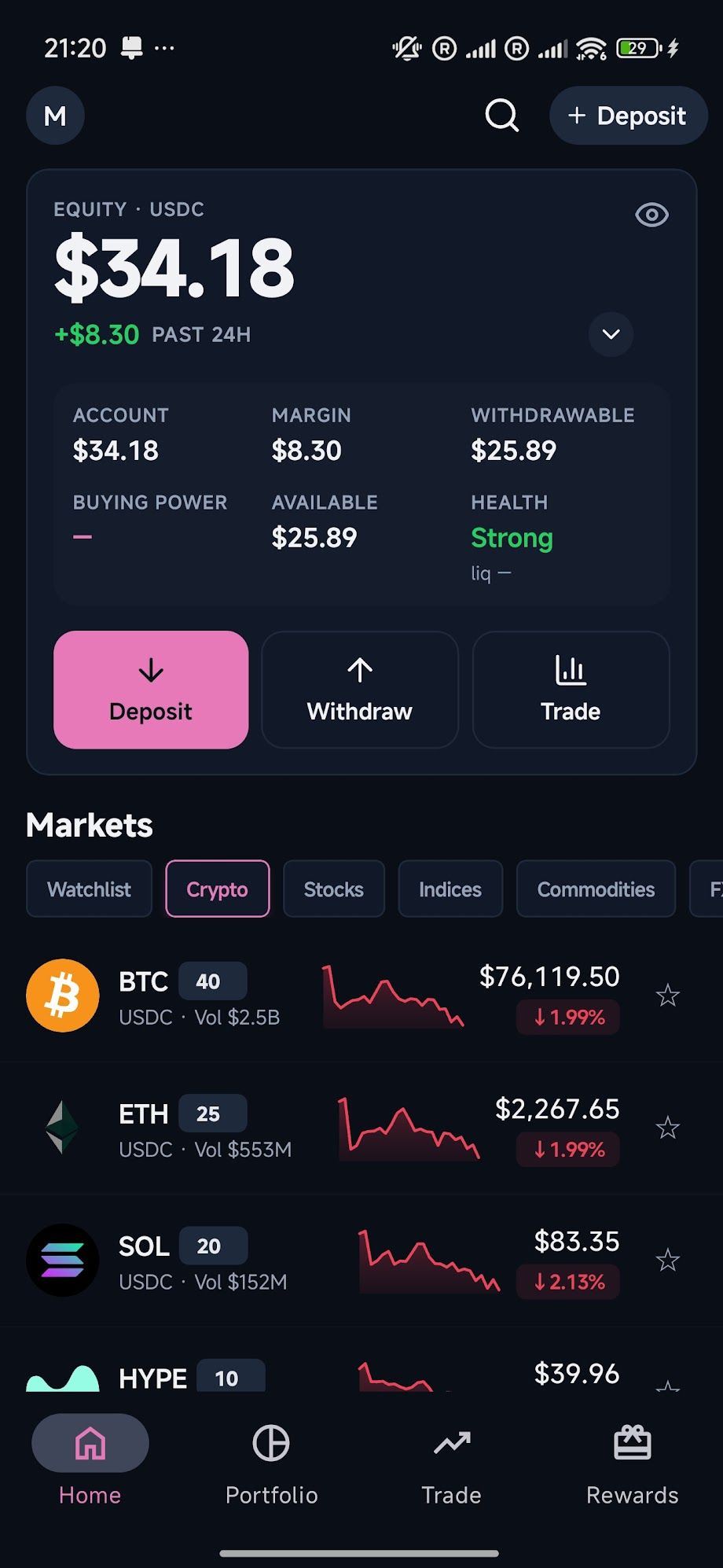
- BTC 40x $73,422.00 -0.23%
- ETH 25x $2,041.30 -0.68%
- SOL 20x $82.555 -0.06%
- HYPE 10x $70.871 -1.00%
- XRP 20x $1.040 -1.45%
- DOGE 10x $0.0667 -1.45%
- LINK 10x $10.034 -2.37%
- AVAX 10x $8.579 +1.52%
- BNB 10x $670.660 -1.02%
- SUI 10x $0.8104 -1.31%
Built for traders
Everything you need to trade, in your pocket
-
All markets, one app
Trade crypto, stocks, indices, commodities, and FX from a single unified markets view.
-
Leverage set per market
USDC collateral and onchain perpetual futures, with maximum leverage set per market.
-
Live heatmap & movers
See what's running at a glance - a color-coded heatmap and gainers, losers, and volume leaders.
-
Funding countdowns
Know the next funding payment and its estimated size before it lands on your position.
-
TP/SL on every position
Set take-profit and stop-loss levels per position so your plan runs while you don't watch.
-
Shareable P&L
Turn a winning trade into a clean, shareable P&L card in a single tap.
Now on desktop Beta
The full trading terminal, in your browser
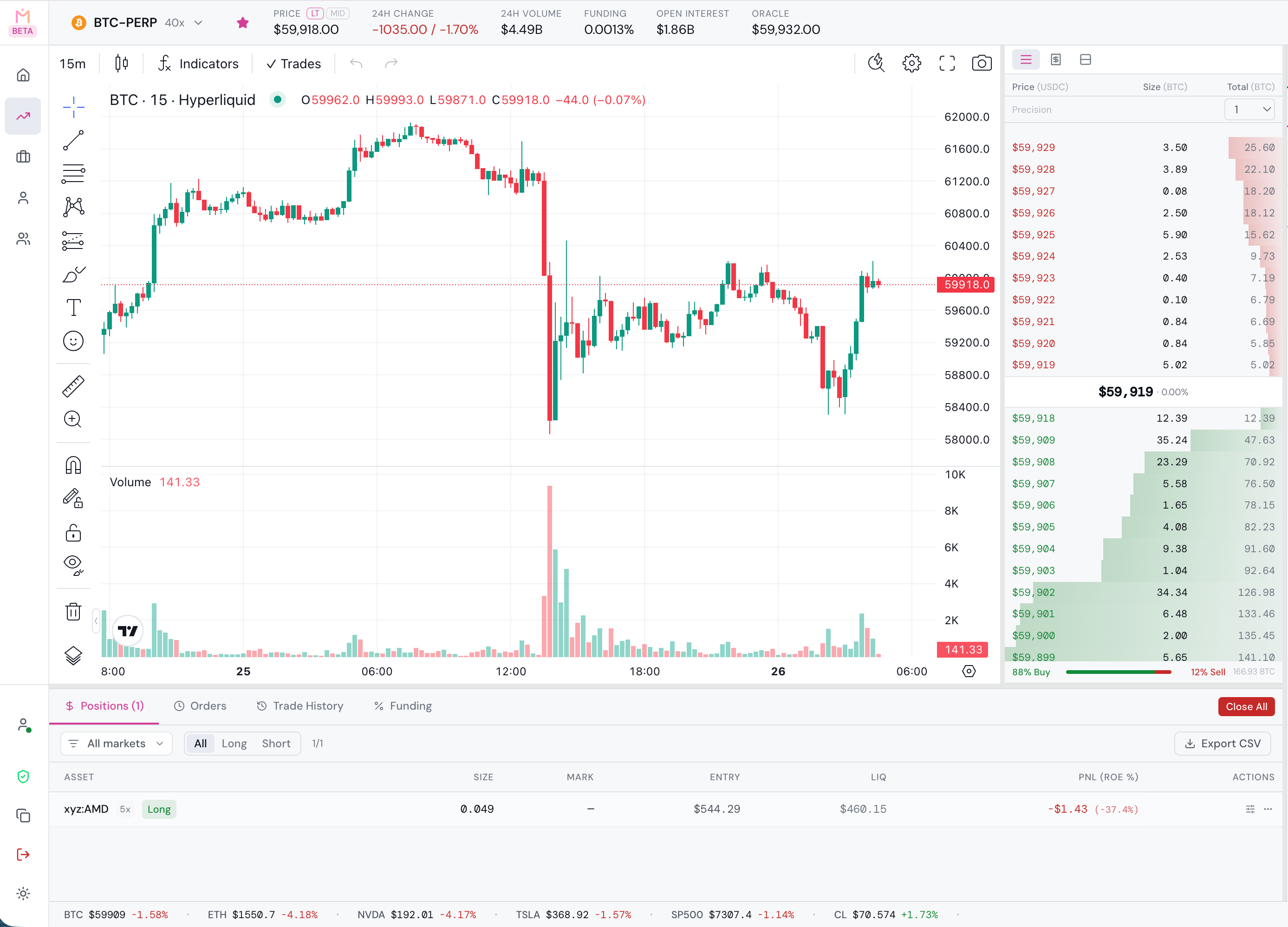
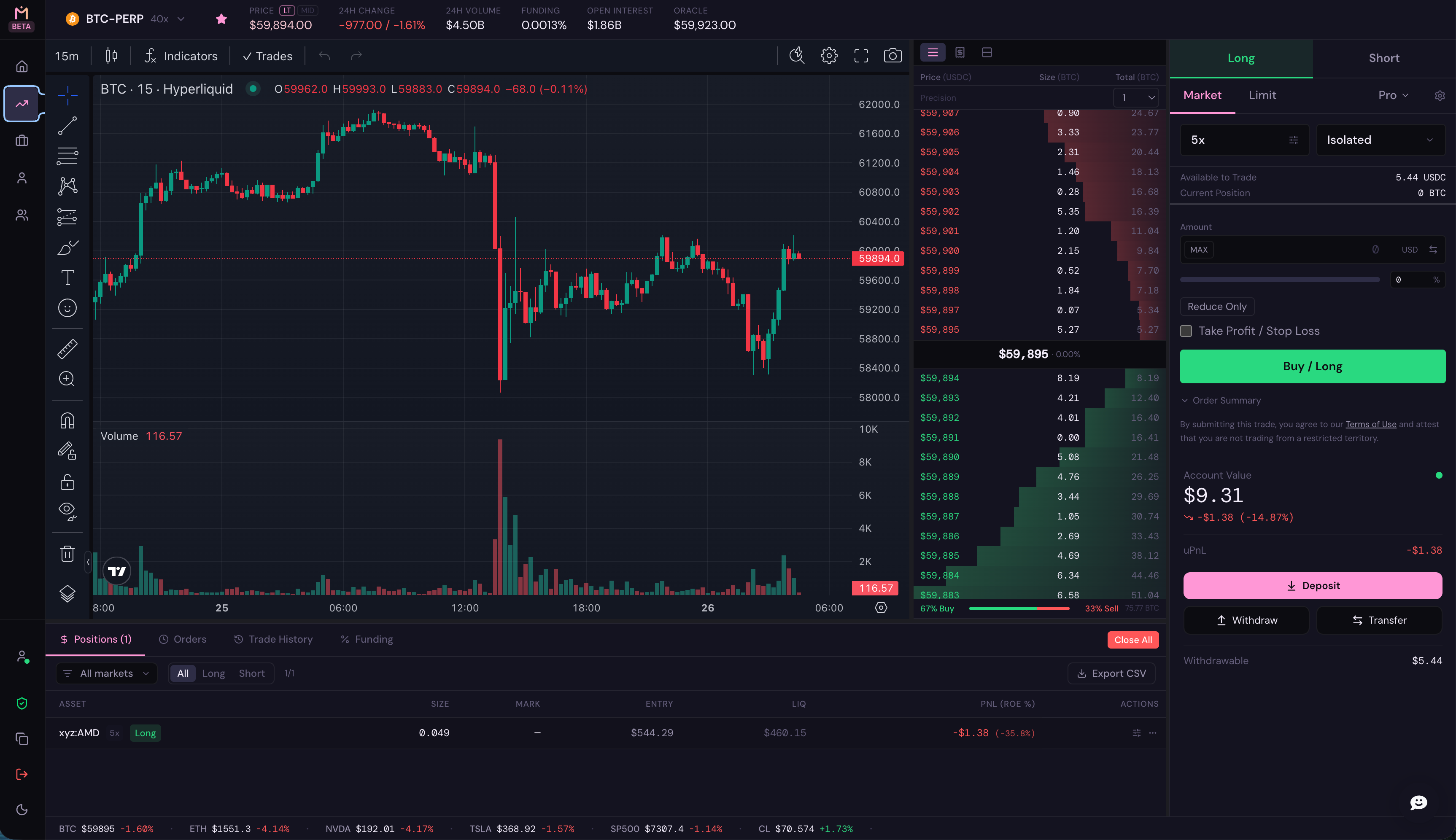
Prefer a bigger screen? Trade the same self-custodial account at app.mfmarkets.io - advanced charting, a deep order book, and pro order types, with nothing to install. Your keys, your positions, identical to the app.
-
Advanced charting
Full TradingView-grade charts with indicators, drawing tools, volume, and every timeframe on a screen built for it.
-
Pro order ticket
Market and limit orders, adjustable leverage, isolated margin, and take-profit / stop-loss in a single ticket beside a live order book.
-
Every market, one view
A live heatmap and watchlist across crypto, stocks, indices, commodities, and FX - with movers and funding APY at a glance.
Why MF Markets
Serious trading, without the custody risk
Self-custodial by design
You hold your keys and sign every trade. MANTRA never takes custody of your funds or trades on your behalf.
Onchain and transparent
Every order executes onchain against a deep, public order book - transparent pricing and execution, never an opaque internal matching engine.
One app, every market
Crypto, stocks, indices, commodities, and FX share one account, one USDC balance, and one clean interface.
Get started
Download MF Markets
Free to download. Self-custodial from the first tap. Bring USDC and start trading in minutes.



FAQ
Questions, answered
What is MF Markets?
MF Markets is a non-custodial wallet for iOS, Android, and desktop that lets you access and trade on third-party onchain services. One app and one USDC balance give you access to crypto and real-world asset markets. You hold and control your wallet, you sign every transaction, MF Markets never takes custody of your funds, and no identity verification is required.
What does non-custodial mean, and why does it matter?
Non-custodial means you control your wallet and sign every transaction yourself. MF Markets never takes possession of your funds and cannot trade on your behalf. Your collateral stays in your own wallet, not in a pooled MF Markets account. That is the opposite of a centralized exchange, where the platform holds your funds.
Do I need to complete identity verification (KYC) to trade?
No. MF Markets has no identity verification step.
How do I create an account?
Download MF Markets from the App Store or Google Play, or open MF Markets for desktop at app.mfmarkets.io. Sign up with an email address, Google account, or Apple ID. Your wallet is created for you, with no seed phrase to manage. Then deposit USDC on Arbitrum and start trading.
How do I deposit funds?
MF Markets accepts USDC on the Arbitrum network. Send USDC on Arbitrum to your MF Markets wallet address. MF Markets covers the network fee on your deposit, so you do not need ETH. Deposits typically reach your trading balance about 2 minutes after the transaction confirms. The minimum deposit is 5 USDC, a minimum set by Hyperliquid.
What does MF Markets charge?
MF Markets charges a service fee on trades routed through the app. On Hyperliquid, the fee is collected through the builder code. You may also pay Hyperliquid's standard trading fees and network fees. All fees are shown before you confirm a transaction.